
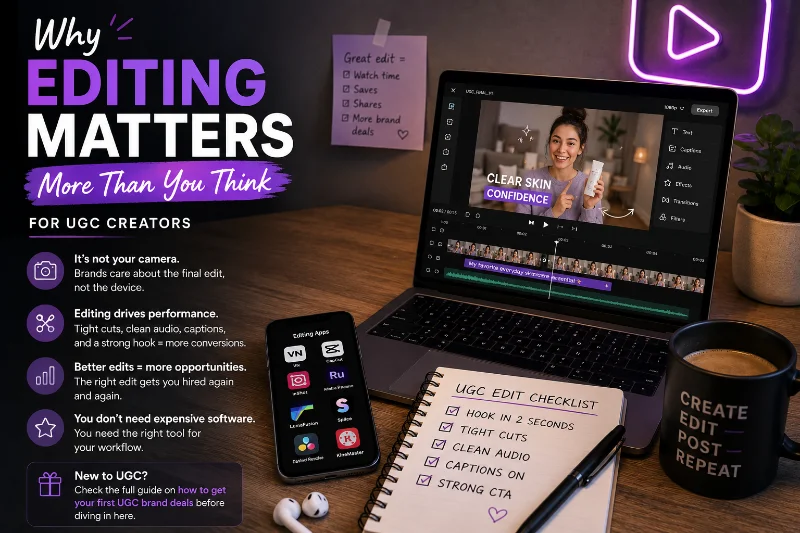
Why Editing Matters More Than You Think for UGC
Most beginners think the problem is their camera. It almost never is.
Brands reject UGC pitches every day that were filmed on the exact same iPhone they used to approve content for their ads last week. The difference isn't hardware. It's the edit. Tight cuts, clean audio, readable captions, a hook that grabs in the first two seconds. That's what converts. That's what gets you hired for a second video by the same brand.
You don't need expensive software to edit UGC that performs. You need the right tool for your workflow. This guide breaks down every major video editing app UGC creators actually use in 2026. We cover what each one is genuinely good at, where it falls flat, and which one makes sense for where you are right now. If you're still figuring out how to land your first paid job, check the full guide on how to get your first UGC brand deals before diving in here.
What Makes a Good Video Editing App for UGC Creators?
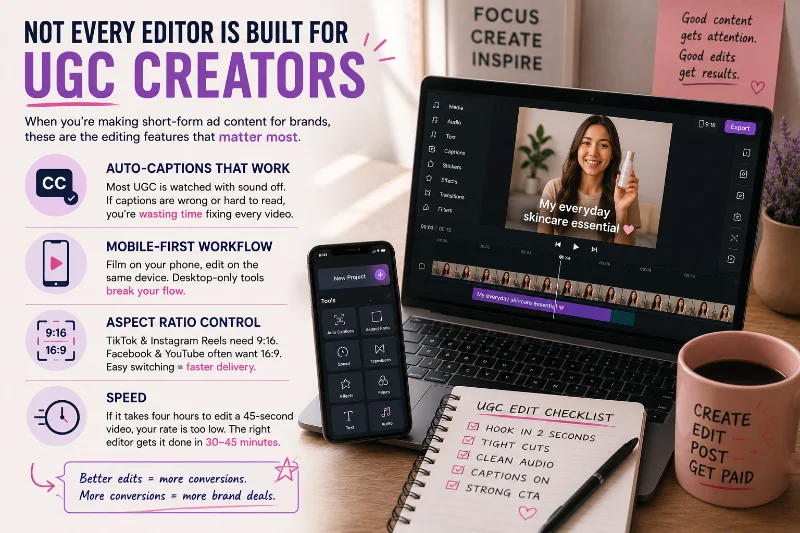
Not every editor is built for UGC. Most are designed for filmmakers, YouTubers, or  Social Media Manager professionals who have completely different needs. When you're making short-form ad content for brands, a few things matter more than anything else.
Auto-captions that actually work: Most UGC is watched with sound off. If an app's transcription constantly gets words wrong or produces text that's hard to read on a phone screen, you're manually correcting every single video, and that time adds up fast.
Mobile-first workflow: Most
UGC Creator creators film on a phone and want to edit on the same device. Desktop-only tools break that flow unless you specifically need the extra horsepower they offer.Aspect ratio control: Brands running your content as a
 TikTok ad or
  instagram Reel need 9:16 vertical.
  Facebook and
  YouTube placements often want 16:9. An editor that makes ratio switching clunky slows down every delivery you make.
Speed: If it takes four hours to edit a 45-second video, your effective hourly rate is embarrassingly low. The right video editing app for UGC gets you from raw footage to final delivery in 30 to 45 minutes.
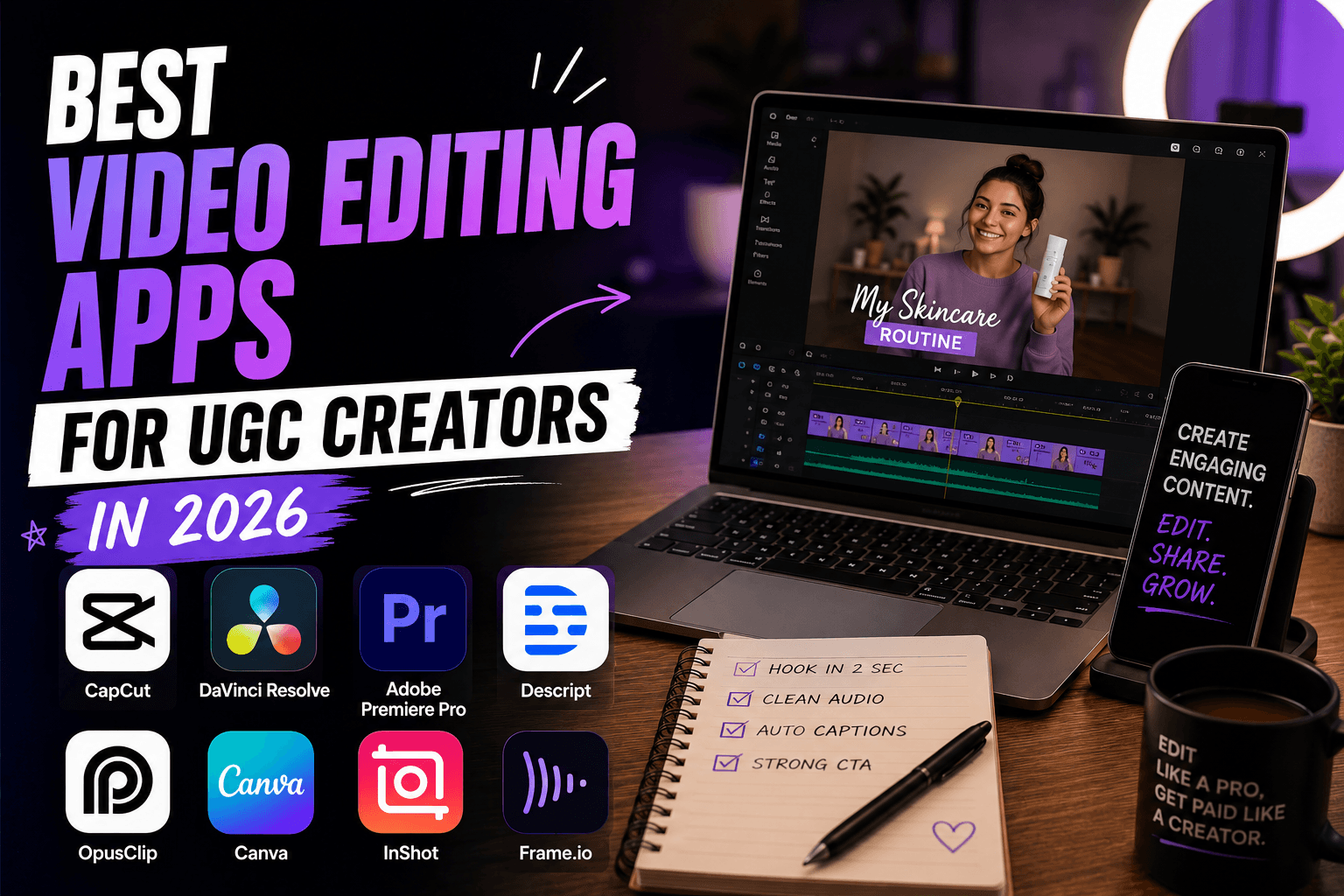
Best Video Editing Apps for UGC Creators in 2026
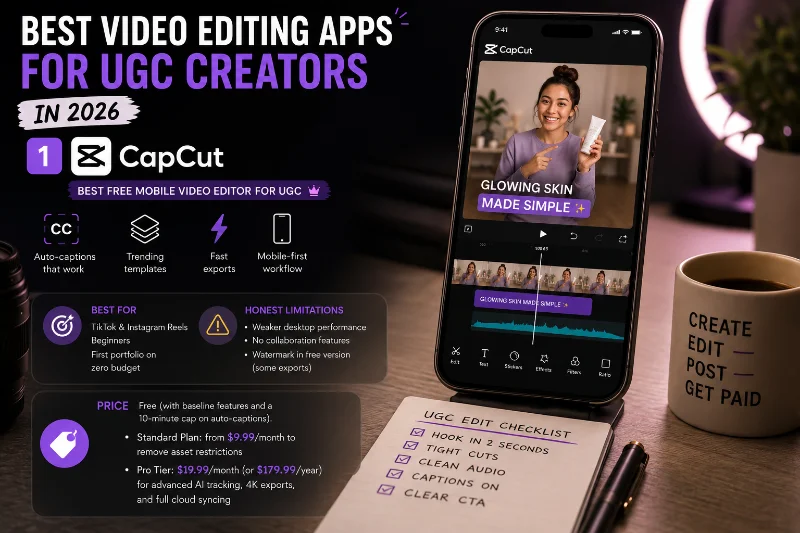
1. CapCut: Best Free Mobile Video Editor for UGC
 CapCut is the most-used video editing app among UGC Creators right now, and the gap between it and everything else is bigger than most people realize. It's free, it runs on iOS, Android, and desktop, and it handles the three things UGC creators need most better than anything else in its price range: auto-captions, trending templates, and fast exports.
The auto-caption feature in CapCut is genuinely good. For a Content Creator turning around multiple videos a week, it saves hours. The transcription accuracy is strong for English content, you can restyle the text in seconds, and the output looks polished on mobile screens, and that's where your audience is watching.
CapCut also pushes new template formats tied to trending audio and editing styles regularly. That means you can drop your footage into a structure that's already performing well on TikTok or instagram Reels instead of building from scratch every time. If you're putting together your first ghost portfolio and you've never edited a video before, CapCut is where you start. Full stop.
Someone even asked a review on moonlite community if capcut is good or not and one user replied:
"Honestly, if your main goal is UGC speed, CapCut is still the king and it’s not even close. The auto-captions alone save hours compared to doing it manually in VN or InShot. The only reason to switch to VN is if you need a cleaner timeline for complex multi-layer editing, but for going raw-footage-to-finished-product in 10 minutes? Stick with CapCut."
Best for: Short-form UGC video editing for TikTok and instagram Reels, beginners, creators building a first portfolio on zero budget.
Honest limitations: Desktop performance is weaker than the mobile app. No real collaboration features. If a brand needs to leave timestamped feedback on your cut, CapCut can't support that. The free version has a watermark in some export modes.
Price: Free (with baseline features and a 10-minute cap on auto-captions). The Standard Plan starts around $9.99/month to remove asset restrictions, while the full Pro Tier runs $19.99/month (or $179.99/year) to unlock advanced AI tracking, 4K exports, and full cloud syncing
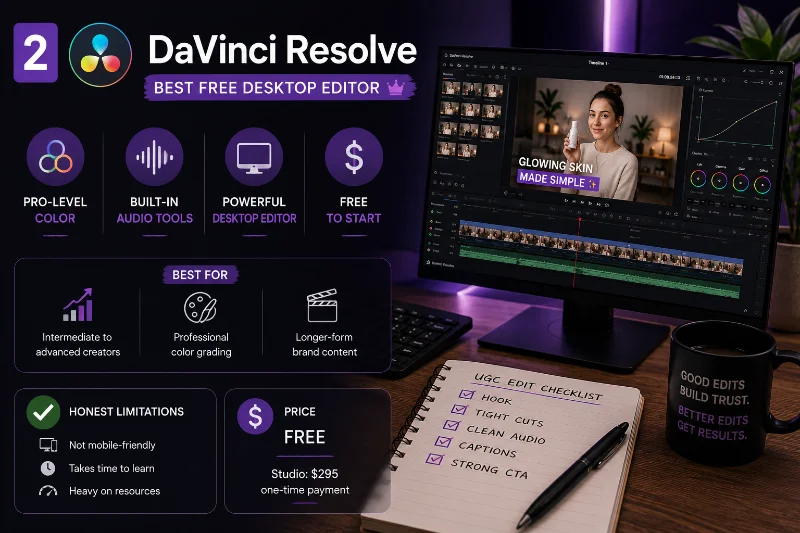
2. DaVinci Resolve: Best Free Desktop Video Editor
 DaVinci Resolve is the professional standard for color grading and video editing, and the free version outperforms most paid tools on the market. The same software Hollywood colorists use is available for $0. That's worth stopping on for a moment.
For UGC Creator creators scaling into higher-paying deals, DaVinci Resolve is worth learning. Brands paying $300 to $500 per video usually want content that looks more polished and intentional. The color correction tools in DaVinci Resolve are in a different league compared to anything else that's free. Fairlight, the built-in audio suite, easily handles traditional noise filtering and volume normalization, though keep in mind that Blackmagic locks its highly coveted AI Voice Isolation feature behind the paid Studio tier ($295). Those are two problems that kill UGC quality constantly.
The honest caveat: the learning curve is real. If you're a beginner who needs to export a captioned 30-second clip in under an hour, DaVinci Resolve is too much editor for where you are. Come back to it once you're landing deals consistently and your editing quality is the actual bottleneck. The UGC earnings guide for 2026 shows you what income level makes that upgrade worth it.
Best for: Intermediate to advanced creators, professional color grading, longer-form brand content, anyone who wants pro desktop editing without paying Adobe prices.
Honest limitations: Not mobile-friendly. Takes weeks to feel comfortable with the interface. Heavy on system resources, so older laptops will struggle.
Price: Free. DaVinci Resolve Studio is a one-time $295 and adds AI noise reduction, collaboration tools, and extra effects.
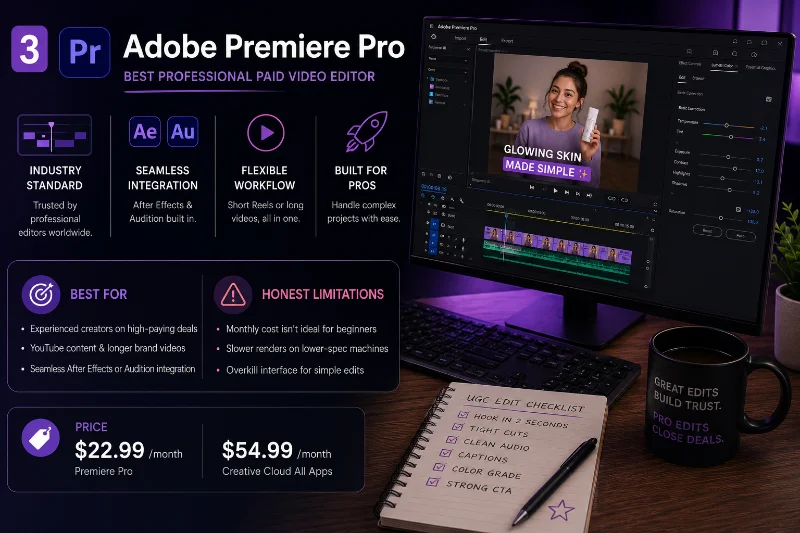
3. Adobe Premiere Pro: Best Professional Paid Video Editor
Ask any professional video Editor what they use daily and most will say  Adobe Premiere Pro. It's the industry standard because the timeline is flexible, the After Effects and Audition integrations are seamless, and it handles a 15-second instagram Reel and a 20-minute YouTube video in the same workflow without complaint.
For UGC Creator creators, Adobe Premiere Pro makes sense once you're working with brands that have specific delivery requirements like particular codec outputs, color profiles, or multi-platform versions of the same asset. It's also the right tool if you're adding upsells like raw footage delivery or extended usage rights packages, since project file organization is clean enough that revisiting old work stays fast. Understanding how those upsells translate into real monthly income is in the full UGC earnings breakdown.
Best for: Experienced creators on high-paying deals, anyone also producing YouTube content or longer brand videos, creators who need seamless integration with After Effects or Audition.
Honest limitations: Monthly cost isn't justified for beginners. Slower renders on lower-spec machines. Overkill interface when all you need is a clean 30-second clip.
Price: $22.99/month for Premiere Pro alone, $54.99/month for Creative Cloud Standard, or $69.99/month for Creative Cloud Pro (which adds expanded AI features and Acrobat Pro). (All rates reflect individual annual plans billed monthly)
4. Descript: Best for Script-Based UGC Editing
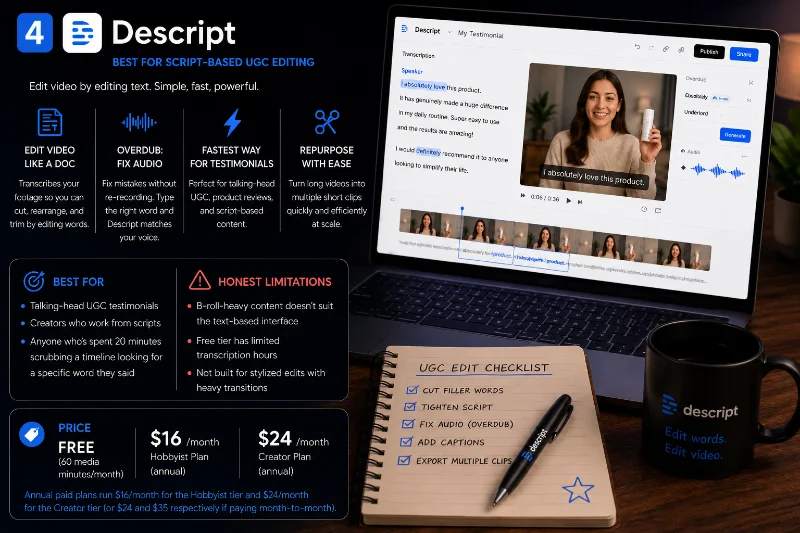
 Descript works differently from every other video editor on this list. It transcribes your footage into text, and you edit the video by editing the words. Cut a sentence from the transcript and the footage disappears. It sounds like a gimmick until you use it on a talking-head testimonial for the first time. At that point it becomes one of the fastest editing workflows you'll find for that specific format.
The Overdub feature lets you fix audio mistakes without re-recording. Type the correct word and Descript generates a voice match using your own vocal style. That's incredibly useful when you've recorded a long take and just need to clean up a few stumbles without reshooting the whole thing. Many UGC Campaign Manager for Social Media Brands professionals who manage UGC at scale use Descript specifically for repurposing longer brand content into multiple short clips after primary delivery.
Best for: Talking-head UGC testimonials, creators who work from scripts, anyone who's spent 20 minutes scrubbing a timeline looking for a specific word they said.
Honest limitations: B-roll-heavy content doesn't suit the text-based interface. The Free tier is heavily restricted, offering just 60 media minutes per month and placing a watermark on your exports.
Price: Free tier available (60 media minutes/month). Annual paid plans run $16/month for the Hobbyist tier and $24/month for the Creator tier (or $24 and $35 respectively if paying month-to-month).
5. InShot: Best Quick Mobile Video Editing App
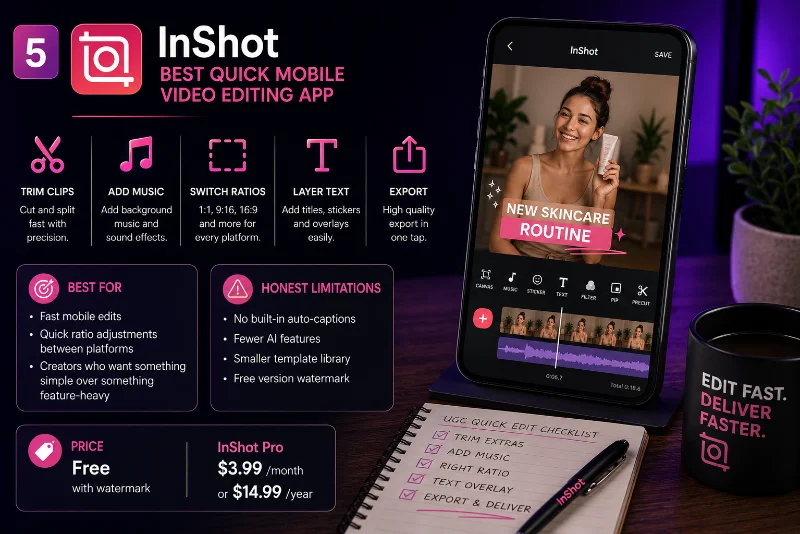
 InShot doesn't try to do everything, and that's actually its biggest strength. It's a clean, fast mobile editing app that handles the core jobs well: trimming clips, adding music, switching aspect ratios, layering text, and exporting in the right format. For quick turnaround UGC jobs where a brand needs content back in 24 hours, InShot is often the fastest path from raw footage to delivery.
Lots of UGC Creator creators keep InShot as their backup editor specifically for this reason. When there's no time to open a more complex tool, InShot gets the job done and the output looks clean on TikTok and instagram. The interface is straightforward enough to learn in 15 minutes, and ratio switching between platforms is smooth.
While it features a newer AI auto-captions tool to compete with CapCut , InShot’s styling presets are much more basic, its template library is smaller, and the free tier pushes a watermark on exports. But for creators who find CapCut overwhelming or who just want something simple and reliable, InShot is a solid choice.
Best for: Fast mobile edits, quick ratio adjustments between platforms, creators who want something simple over something feature-heavy.
Honest limitations: Free version includes ads and watermarks. Single-track timeline layout makes complex multi-layer editing tedious. Dynamic text styling options are limited compared to CapCut.
Price: Free with watermark. InShot Pro is $3.99/month or $14.99/year.
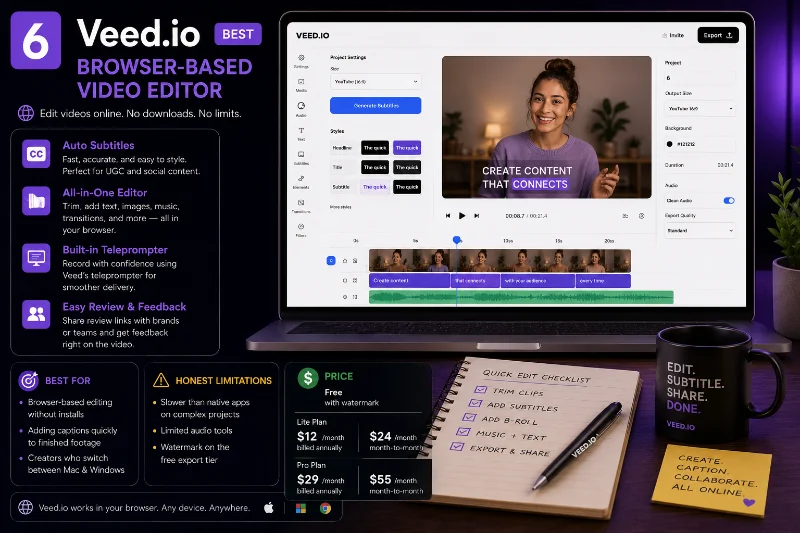
6. Veed.io: Best Browser-Based Video Editor
 Veed.io runs entirely in your browser, which makes it appealing for creators who switch between devices or don't want to install anything. The auto-subtitle feature is one of the better browser-based implementations available. It's fast, accurate enough for most content, and lets you style captions in a way that matches current UGC trends without much setup.
Veed.io is particularly useful when you receive raw brand assets like logo files, B-roll packs, or music tracks, and need to assemble them quickly without setting up a proper desktop project. It also has a built-in teleprompter feature for filming, which overlaps with what  Teleprompter Pro offers. Brands that use a dedicated Influencer Manager workflow often appreciate receiving content through Veed.io's review links because it makes feedback straightforward.
Best for: Browser-based editing without installs, adding captions quickly to finished footage, creators who switch between Mac and Windows.
Honest limitations: Slower than native apps on complex projects. Limited audio tools. Watermark on the free export tier.
Price: Free tier available (watermarked, 720p limit). The entry-level Lite plan runs $12/month when billed annually, or $24/month if you pay month-to-month. The Pro plan with advanced AI audio and 4K exports jumps to $29/month (billed annually) or $55/month
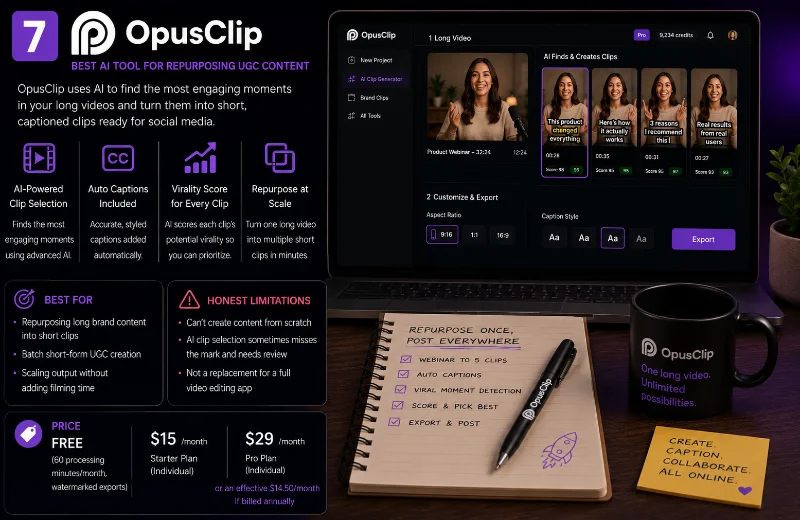
7. OpusClip: Best AI Tool for Repurposing UGC Content
 OpusClip does one thing and does it faster than any human Editor can match: it takes a long video, identifies the most engaging moments using AI, and cuts them into short vertical clips ready for TikTok, instagram Reels, or YouTube Shorts. It's not a traditional video editing tool. You'd never use it to build content from scratch. But for repurposing, it's in a class of its own.
Where OpusClip earns its place in a UGC stack is when a brand sends you a 10-minute product webinar or testimonial and asks for three to five short clips. OpusClip does that in minutes instead of hours. It adds auto-captions automatically and scores each clip on predicted virality, which is a useful signal even if you don't take the number literally. Some Content Creator creators also run their own content through OpusClip to multiply short-form output from a single recording session, which is a smart efficiency play when you're managing multiple clients as a Freelancer. The UGC earnings guide covers how that kind of output scaling translates to real monthly income.
Best for: Repurposing long brand content into short clips, batch short-form UGC creation, scaling output without adding filming time.
Honest limitations: Can't create content from scratch. AI clip selection sometimes misses the mark and needs manual review. Not a replacement for a full video editing app.
Price: Free plan available (60 processing minutes/month, watermarked exports). Paid plans start at $15/month for the individual Starter tier, while the full Pro tier runs $29/month (or an effective $14.50/month if billed annually).
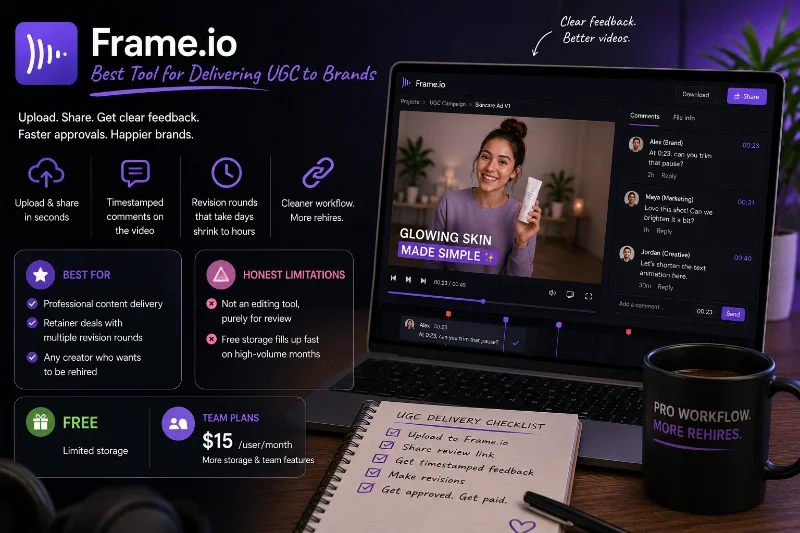
8. Frame.io: Best Tool for Delivering UGC to Brands
 Frame.io isn't a video editing tool. It's a review and delivery platform, and adding it to your workflow costs nothing. You upload your finished video, share a link with the brand, and they leave timestamped comments directly on the footage. "At 0:23, can you trim that pause?" is far more useful than "the middle part feels slow" in an email thread. Revision rounds that used to take days shrink to hours.
For UGC Creator creators on retainer deals or working with brands that have multiple stakeholders, Frame.io removes the confusion that normally piles up over email and Google Drive. It integrates directly with Adobe Premiere Pro and DaVinci Resolve, so approvals happen inside the same ecosystem as editing. Brands running UGC through a UGC Campaign Manager for Social Media Brands or Influencer Manager are already used to proper approval tools, so showing up with a Frame.io link instead of a Drive folder is a small detail that consistently gets creators rehired. To find brands set up for this kind of professional workflow, the guide on the best platforms for UGC jobs in 2026 is the place to start.
Best for: Professional content delivery, retainer deals with multiple revision rounds, any creator who wants to be rehired.
Honest limitations: Not an editing tool, purely for review. Free storage fills up fast on high-volume months.
Price: Free with limited storage. Team plans from $15/user/month.
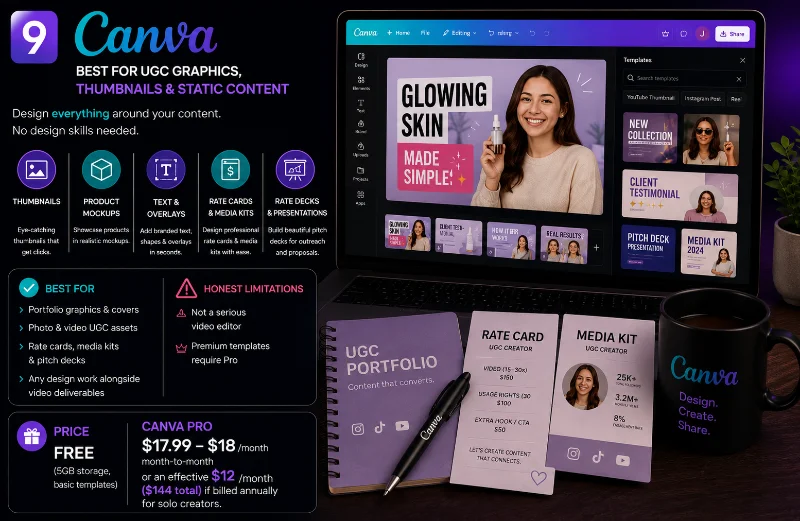
9. Canva: Best for UGC Graphics, Thumbnails, and Static Content
 canva isn't primarily a video editor, but it's become a core part of the UGC creator toolkit because of how well it handles everything around video: thumbnails, product mockups, branded text overlays, rate cards, media kits, and pitch decks. If you're building a ghost portfolio and need a clean portfolio cover or a shareable rates page for your
  Notion or
  Carrd profile, canva is where you make it.
There's a video editing mode in canva with templates, and it's perfectly functional for simple clip assembly with text and music. For anything sophisticated it falls short, but for Content Creator creators producing a mix of video and photo UGC, it handles the static side cleanly without needing a separate app. It also works well for cold outreach pitch decks when you're reaching out to brands on  linkedin or through
  upwork.
Best for: Portfolio graphics, thumbnails, photo UGC, rate cards, pitch decks, any design work alongside video deliverables.
Honest limitations: Not a serious video editor. Premium templates require a Pro subscription.
Price: Free plan available (5GB storage, basic templates). canva Pro runs $17.99 to $18/month when paying month-to-month, or an effective $12/month ($144 total) if billed annually for solo creators.
UGC Video Editing App Comparison
Tool | Best For | Free Plan | Mobile | Auto-Captions | Skill Level |
|---|---|---|---|---|---|
Short-form UGC, captions, templates | ✅ | ✅ | ✅ | Beginner | |
Pro editing, color grading | ✅ | Desktop only | ❌ | Advanced | |
Pro editing, brand deliverables | No (paid) | Limited | ✅ | Advanced | |
Script-based editing, talking head | Limited | Limited | ✅ | Beginner to Mid | |
Quick mobile edits, ratio switching | Yes (watermark) | ✅ | ✅ | Beginner | |
Browser-based editing, captions | Yes (watermark) | Browser | ✅ | Beginner | |
AI repurposing, clip packs | Limited | Browser | ✅ | Beginner | |
Brand delivery and approvals | Limited | ✅ (iOS App) | ❌ | All levels | |
Graphics, thumbnails, photo UGC | ✅ | ✅ | ✅ | Beginner |
Which Video Editing App Should UGC Creators Use?
The answer depends on where you are in your UGC career right now, not what's trending in creator YouTube videos. Here's a clear breakdown by stage, including when it actually makes sense to start paying for tools.
Zero paid deals yet: Start with CapCut. It's free, mobile-friendly, has real auto-caption functionality, and produces clean-looking content fast enough that you can have your first edited UGC video done within an hour of downloading it. Add canva for portfolio graphics and you've got a complete $0 setup ready to pitch. The full walkthrough on how to build a UGC portfolio from scratch covers the rest. The free tools available in 2026, including CapCut, Frame.io (free tier), and canva together cover everything a beginner Content Creator needs to deliver professional-looking content without spending a cent.
Landing your first deals ($150 to $300 per video): Add Frame.io to your delivery workflow. It costs nothing for solo use and immediately changes how brands perceive your professionalism. If talking-head testimonial content is your main format, try Descript at this stage too, because the time you save on transcription and text-based editing more than covers the $16/month cost. No reason to pay for CapCut Pro until you're consistently delivering four to six videos a week and want the commercial music access and extra AI features. At that volume it pays for itself in the first month.
Scaling beyond $300 per video: This is when DaVinci Resolve (still free) or Adobe Premiere Pro ($22.99/month) starts making sense. Brands at this tier often have specific codec and format requirements that simpler tools can't handle cleanly, and the color grading quality jump is real. The UGC earnings guide for 2026 breaks down exactly how to structure usage rights and whitelisting conversations with brands at this level. Plenty of UGC Creator creators landing consistent gigs on platforms like  Insense,
  JoinBrands, and
  Billo still run entirely on free tools. There's no pressure to spend. The best platforms for UGC jobs in 2026 has honest assessments of every major platform worth trying.
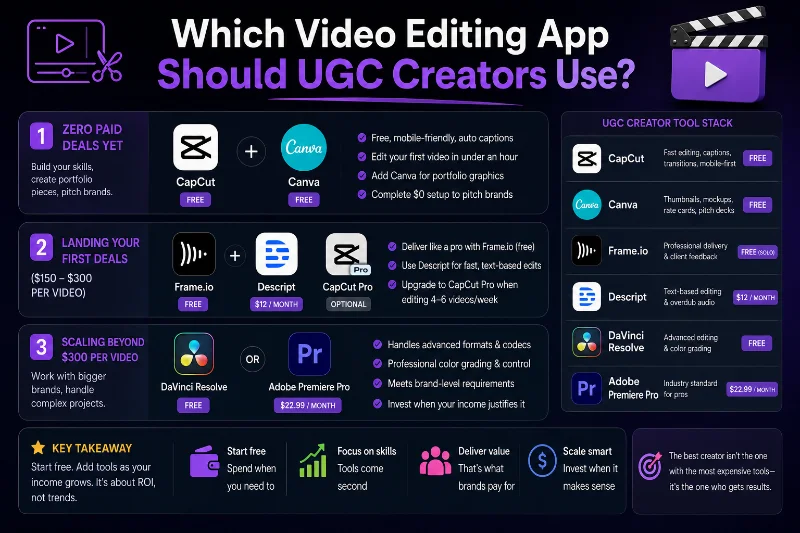
If you're... | Use this |
|---|---|
Just getting started (0 paid deals) | CapCut + Canva |
Landing your first paid brand deals | CapCut + Frame.io |
Creating talking-head testimonials | Descript |
Editing fast on your phone | InShot |
Working entirely in your browser | Veed.io |
Repurposing long videos into Shorts & Reels | OpusClip |
Scaling to premium UGC clients | DaVinci Resolve or Adobe Premiere Pro |
Sending videos professionally to brands | Frame.io |
Creating portfolios, media kits & thumbnails | Canva |
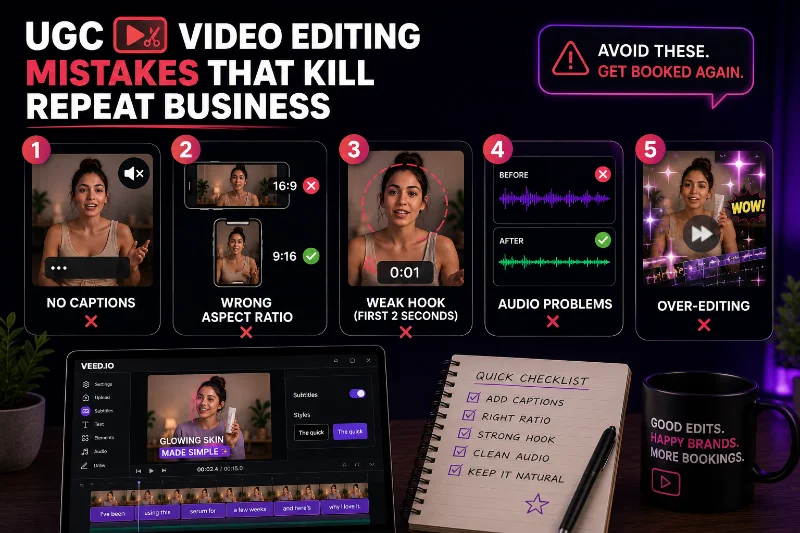
UGC Video Editing Mistakes That Kill Repeat Business
Brand rejection after a video submission is frustrating. It's also almost always avoidable. These are the editing errors that cost UGC Creator creators repeat bookings most often.
No captions. The single most common issue. Most people watching your content on TikTok or instagram have their sound off. If your video only makes sense with audio, it performs worse as a paid ad. Full stop. Add captions on every video, even when the brief doesn't ask for them. Brands notice, and it directly affects whether they book you again.
Wrong aspect ratio. Uploading a 16:9 video to TikTok signals immediately that you didn't think about delivery. Check your export settings against the platform the brand specified. Most UGC video deals in 2026 want 9:16 vertical, but some brands also want 16:9 versions for Facebook display ads or YouTube pre-rolls. Ask if you're unsure, and offer both as an upsell.
A weak hook in the first two seconds. Brands think about ad performance metrics when they review your submission. If the first two seconds don't stop a thumb from scrolling, the brand has to imagine the ad could work, and that's a much harder sell than showing them it already does. Watch your hook back with fresh eyes before you export anything.
Audio problems. Film somewhere quiet. Background hum, room echo, and low volume are the fastest way to get a revision request. DaVinci Resolve and Adobe Premiere Pro both have strong noise removal tools. CapCut has a lighter version that handles most cases. Use them, because brands will absolutely notice when you don't.
Over-editing. UGC is supposed to feel like a real person's recommendation, not a produced advertisement. Heavy transitions, flashy effects, and strong color grades push content back toward looking like a traditional ad. The best-performing UGC usually looks like someone hit record, spoke naturally, and just cleaned up the dead air. If your edit belongs on a motion graphics reel, strip it back.
How Video Editing Skills Directly Increase Your UGC Income
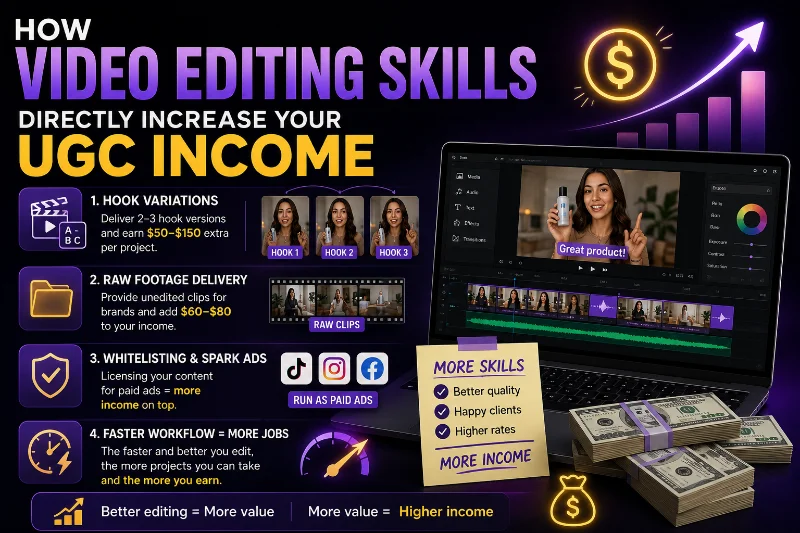
Your UGC video editing skills affect your rates in ways that go beyond just having a polished portfolio. The real money is in the upsells that open up when you're confident and fast with your tools.
Hook variations are one of the most commonly requested UGC add-ons. Brands test different opening hooks on the same video all the time. Delivering three hook versions on a single delivery can add $50 to $150 to that job, and it's just duplicating your project and swapping the first few seconds. Fast if you know your tool, painful if you're still learning it.
Raw footage delivery is another upsell that pays well for almost no extra effort. Some brands want the unedited clips for their in-house creative team. A $200 video with a $60 to $80 raw footage add-on is easy income when your project files are organized. DaVinci Resolve and Adobe Premiere Pro make organization clean and searchable. CapCut does not.
Whitelisting and spark ads are growing fast as a UGC revenue stream. When a brand wants to run your video as a paid ad directly from your account, they pay a licensing fee on top of your creation fee. Preparing content correctly for whitelisting, meaning clean exports, correct platform specs, no restricted third-party music. That knowledge comes from knowing your editing tools properly. The full breakdown of how licensing and usage rights stack onto your monthly income is in the complete UGC earnings guide for 2026.
Conclusion
Video editing is what separates UGC content that gets approved, reused, and rewarded with repeat business from content that gets rejected and forgotten. But the biggest mistake new creators make is assuming they need the most powerful or expensive tool to get there.
For most people starting out, CapCut is the answer. It's free, fast, and good enough to land your first several deals. Build the habit of delivering clean, captioned, properly formatted videos before you invest time learning a more complex editor. When your editing is genuinely the actual bottleneck on quality, not your outreach, not your scripts, not your on-camera comfort, that's when it's time to level up your tools.
If you're still building your portfolio, start there first. The guide on how to build a UGC portfolio from scratch walks through the full process step by step. When you're ready to find brands, the guide on how to get your first UGC brand deals covers every outreach channel available to you right now. And for a real picture of what you can earn at every stage, the UGC income guide for 2026 has the numbers.
Pick your tool. Open it today. Edit something. That first video is the one that matters most.
FAQs
What is the best free video editing app for UGC creators?
CapCut is the most widely used free video editing app among UGC Creator creators in 2026. Strong auto-captions, trending templates, and a fast mobile workflow make it the default starting point for most creators. For free desktop editing with professional color grading, DaVinci Resolve is the best option. It's the same software used on professional film productions and it costs nothing.
Do I need a paid video editing app to land UGC deals?
No. Plenty of working UGC Creator creators use entirely free tools. CapCut, DaVinci Resolve, canva, and Frame.io together cover everything a beginner to intermediate Content Creator needs to deliver professional-looking content. Paid tools start making sense once your monthly UGC income clearly justifies the subscription cost.
Should I edit UGC videos on my phone or on a computer?
Most creators start on mobile with CapCut or InShot because they film on a phone and editing there is faster end to end. As you scale to higher-paying deals with more complex delivery requirements, desktop editing in DaVinci Resolve or Adobe Premiere Pro gives you more precise control over color, audio, and file management.
Which video editing apps have the best auto-captions for UGC?
CapCut, Descript, and Veed.io all have strong auto-caption features. CapCut is the go-to for mobile short-form UGC. Descript works better for longer talking-head pieces where editing the transcript is faster than scrubbing a timeline. Veed.io is useful when you want browser-based captioning without downloading anything to your device.
How important are captions for UGC videos?
Very important. Most TikTok and instagram content is watched without sound. Brands running your video as a paid ad know this, which is why captions are expected in most UGC briefs. Submitting a video without captions signals that you're not thinking about how it will perform as an ad, and that directly affects whether the brand books you for the next round.
How do I deliver finished UGC videos to brands professionally?
Upload your exported video to Frame.io and share the review link with a short note explaining what the brand is receiving and what you'd like them to focus on. Far more professional than a Google Drive folder with no context. Frame.io lets brands leave timestamped comments directly on the footage, keeping revision rounds short and clear. When you're ready to find brands to deliver to, the guide on how to get your first UGC brand deals covers every outreach channel available right now.